 Tabovela

Every time you open a new tab, Chrome shows you shortcuts, a search box and sometimes a news feed. It is the most-viewed page of your day, and it is built to get you somewhere else. A minimalist new tab page does the opposite: it gives you a quiet moment and shows you the one thing you meant to do.
Here is how to set one up in about two minutes, and how to stop it from slowly filling up again.
1. Decide what the page is for
Before installing anything, pick the single job of your new tab. Three common ones:
- A to-do list: you open a tab, you see what is next.
- A pause: a calm picture and a short quote, nothing to manage.
- A launchpad: your five most-used sites, nothing more.
If you try to be all three, you get a dashboard. A good rule: one main job, two helpers at most.
2. Install a new tab extension
Chrome lets extensions replace the new tab page. Look for one that is free of accounts and asks for few permissions — a page you open fifty times a day should not need to know who you are. Tabovela, for example, stores everything on your computer and has no account at all. (More options are compared in our comparison of new tab extensions.)
3. Start with the smallest layout
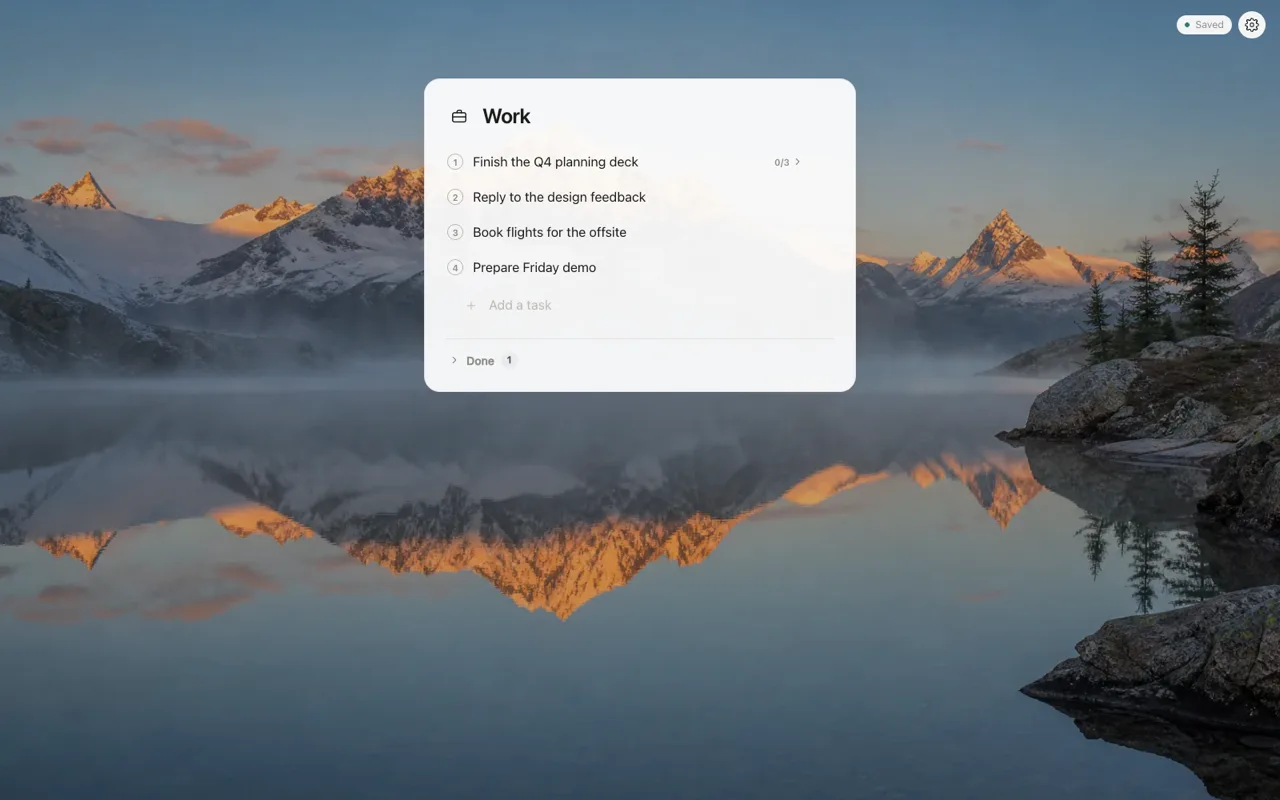
When you first open Tabovela, you choose a style: Minimal, Productivity or Meditative. For a minimalist page, pick Minimal: one task list and nothing else. You can try each style live and switch whenever you like.
4. Pick a background that stays out of the way
A wallpaper changes how a page feels more than any setting. For a minimalist page choose:
- calm, low-contrast scenes (mist, water, sky) rather than busy ones;
- a bit of dimming so text stays readable on every card;
- plain colors if you want zero distraction.
5. Add modules slowly
This is where most minimalist setups fail: you add a weather widget "just in case", then a clock, then bookmarks. Give each addition a one-week trial. If you did not use it, switch it off. In Tabovela every module can be moved left, right or to the top, or hidden, and a column holds only three modules, so the page cannot get crowded.
6. Protect what you write there
A new tab page that holds your tasks holds something valuable. Make sure it has a backup: a file export, or an automatic copy to a folder in Google Drive or iCloud Drive. Reinstalling a browser should never cost you your list.
A two-minute checklist
- Install the extension and choose the Minimal style.
- Type your three tasks for today.
- Pick a calm wallpaper and dim it a little.
- Turn on automatic backup to a folder you trust.
- Resist adding anything for a week.
That is all. A new tab page is not a control room; it is a small, quiet space in front of your work.
Tabovela: a little space to get things done.
Add to Chrome — it’s freeKeep reading

Best Pomodoro timer Chrome extensions: 6 options compared
Marinara, Focus To-Do, Tomato Clock, Pomofocus, Focus Tomato and Tabovela compared: simple timers, timers with tasks, and a free timer in your new tab.

Momentum alternatives: 6 free new tab extensions for Chrome
Looking for a free Momentum alternative? Compare Tabliss, Bonjourr, Mue, start.me, Dayboard and Tabovela by features, privacy and price.