 Tabovela
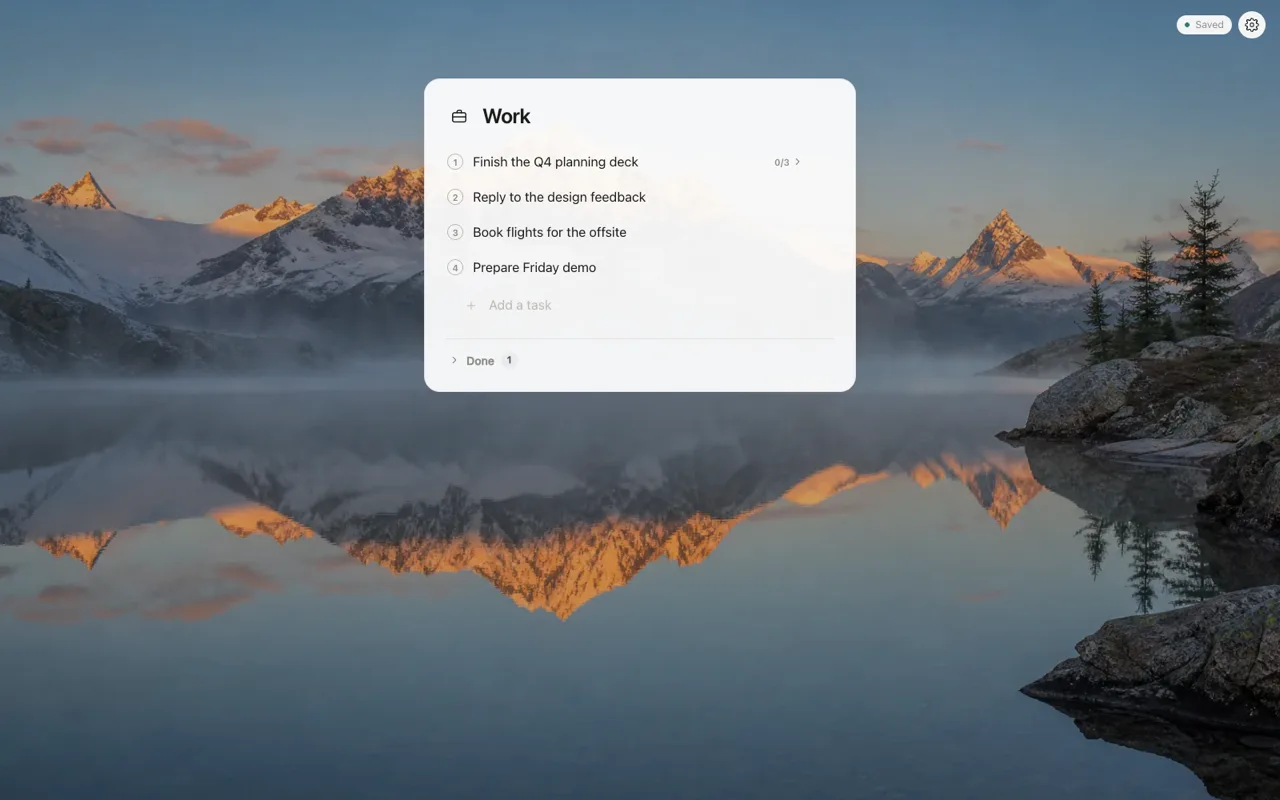
Minimal
One list. Nothing else. The calmest way to open a tab and know what is next.
New tab extension for Chrome
Tabovela turns every new tab into a calm place for your tasks, notes and focus. Minimal by default, yours to customize. Free, no account, no tracking.
What is Tabovela?
Tabovela is a free Chrome extension that replaces the new tab page with a minimal personal workspace: a to-do list with subtasks, three weekly goals, a daily tally, read-later links, sticky notes, a daily quote, a Pomodoro timer, ambient sounds and 24 wallpapers. It needs no account, has no tracking and stores everything on your computer, with optional automatic backup to a folder you choose. It is available in English, French, German, Spanish and Italian.
Start your way
On first launch you choose how much you want to see, and can try each style live. Add or remove modules whenever you like.
One list. Nothing else. The calmest way to open a tab and know what is next.
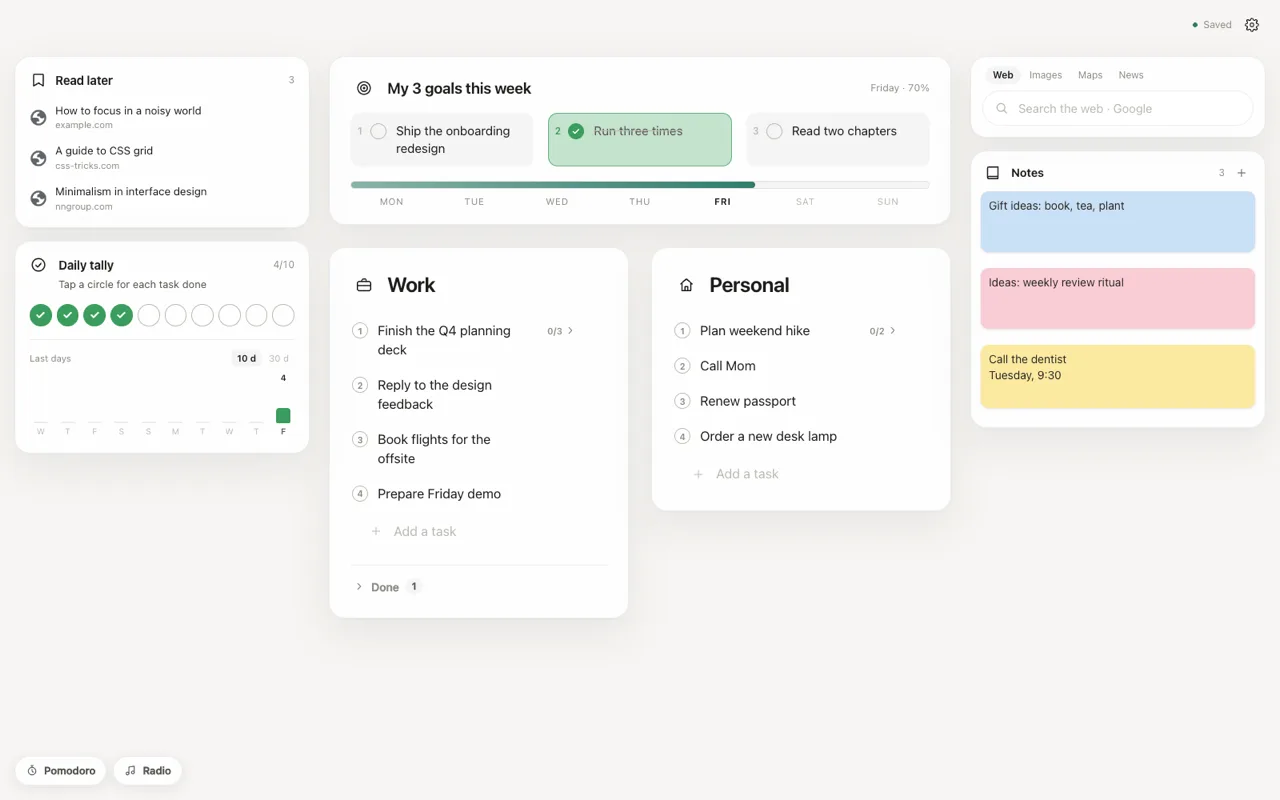
Two lists, three goals for the week, a daily tally, notes, search, Pomodoro and radio.
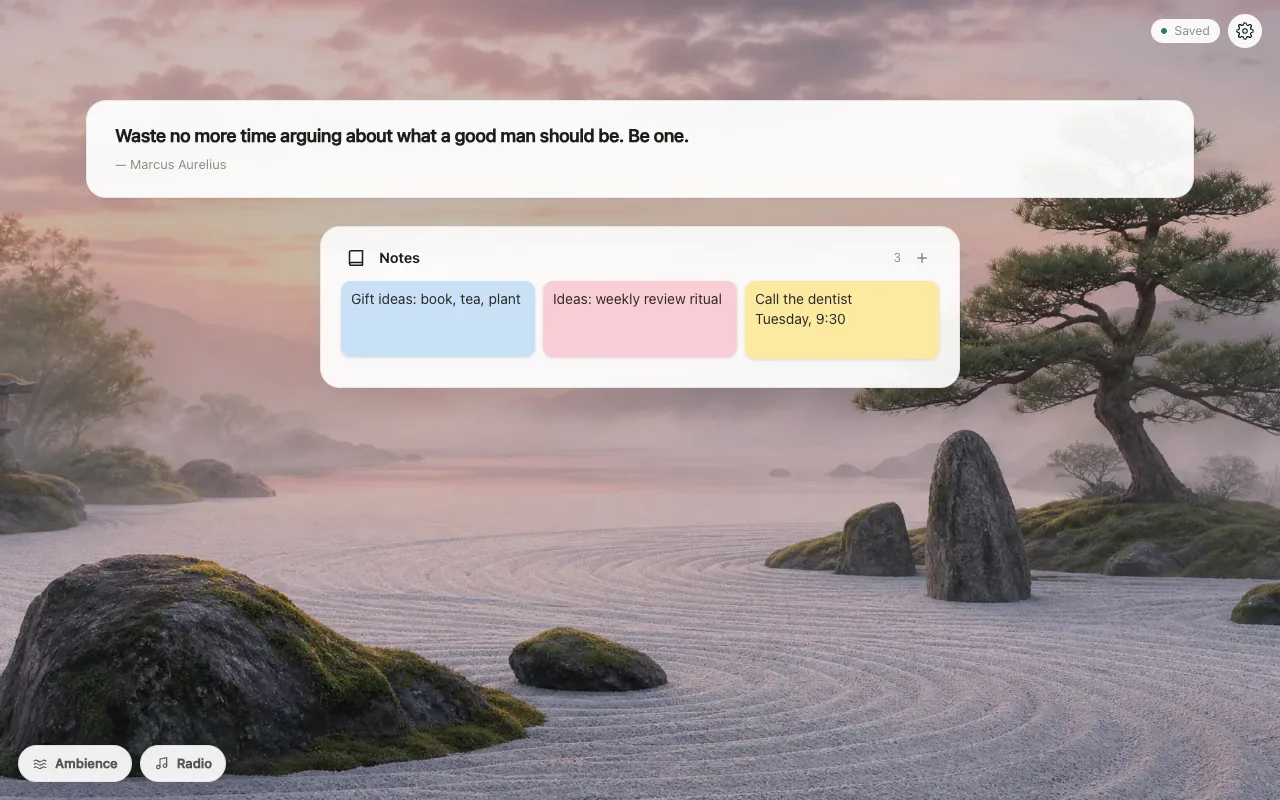
A quote, a note, ambient sounds. A pause instead of a dashboard.
Features
Everything a calm productivity page needs, in one free extension. Every module is optional: switch on what helps, hide the rest.
A to-do list right in your new tab: two lists, subtasks and sub-subtasks, drag and drop to reorder, bold highlights and one-click undo. Open a tab and see what is next.
A Pomodoro timer that lives in your new tab. Pick 5, 25 or 40 minutes (or set your own). It keeps running when you close the tab, and a chime sounds at the end as long as Chrome is open.
Write three goals for the week and tick them off. A progress bar for the week shows how far you are, so your priorities stay in front of you every time you open a tab.
Count glasses of water, pages read or focus sessions with 1 to 20 circles. The counter resets every day and charts your last 10 or 30 days, with a rising note for each circle.
Save the page you are on with one click on the toolbar icon, add an optional note, and close the tab. Your reading list is waiting in your new tab, with no account to create.
Quick colored notes for an idea, a phone number or a shopping list, saved as you type. Keep them in the center, left or right of the page.
A short quote of the day on personal growth or motivation, in English, French, German, Spanish or Italian. Chosen locally, so it works offline.
Mix soft rain, thunder and sea sounds generated in your browser, or listen to an ad-free ambient radio. Ideal background noise for studying and deep work.
Choose from 24 calm wallpapers in 16 themes (space, beach, forest, rain, zen garden…), with optional dimming and a light blur. Prefer something plain? Pick a solid color or gradient.
Search with Google, DuckDuckGo or Bing from your new tab. Optionally show your most-visited sites or your bookmarks bar, with icon and name only. Chrome asks your permission first.
A light, dark or automatic theme, and a new tab page in English, French, German, Spanish or Italian. Rename every section and pick its icon.
No account, no analytics, no tracking: your data stays in Chrome on your computer. Back up automatically to a folder in Google Drive or iCloud Drive, export a file, or restore a recent version.
Make it yours
Show only what helps you today. Add a module when you need it, hide it when you don’t, and move things around until the page feels like yours. It never gets crowded.
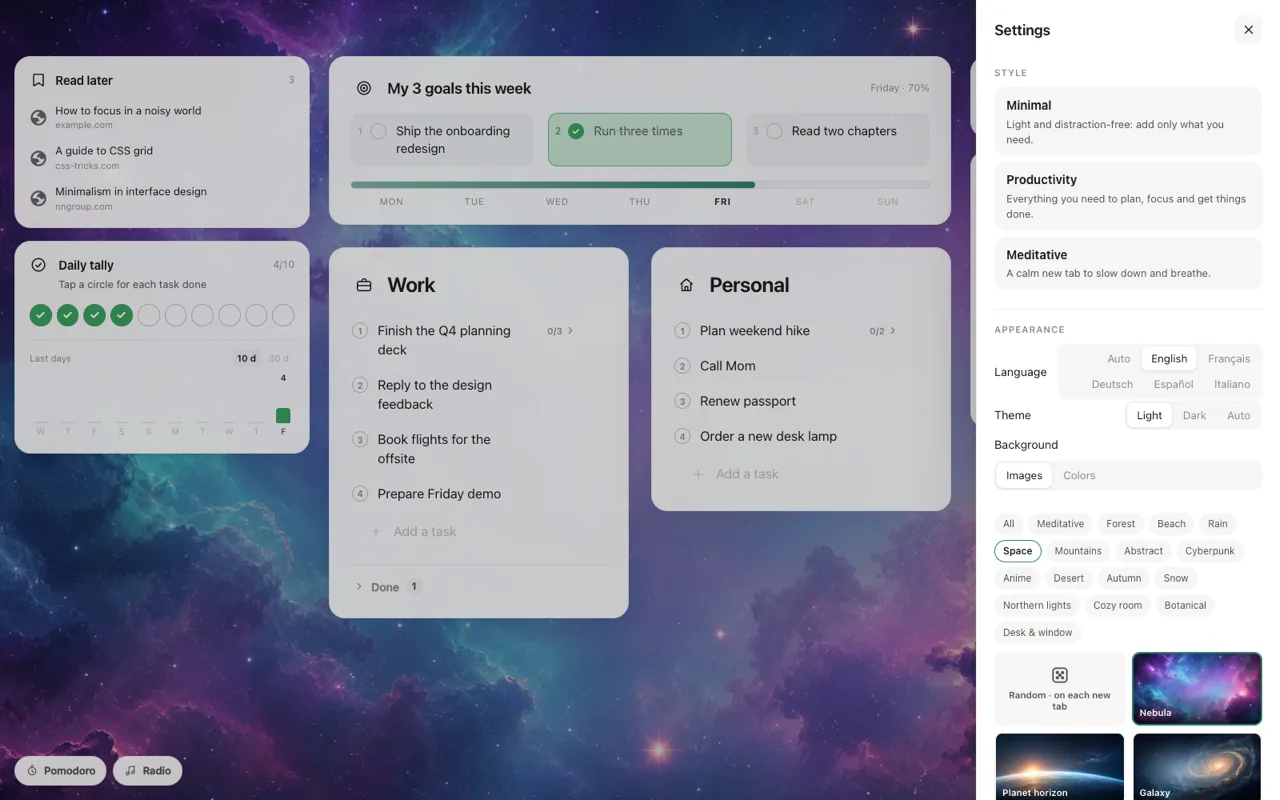
Wallpapers
Open every tab to a view that calms you down. Pick the scene that fits your mood, then dim or blur it so your tasks always stay easy to read.












Private by design
No account, no analytics, no ads, no tracking. We could not read your tasks if we wanted to.
Tasks, notes, goals and settings live in Chrome on your computer. Nothing is sent to a server, because there isn’t one.
Automatic copies to a folder you choose (Google Drive, iCloud Drive…), file export and import, and a history of recent versions.
A simple indicator tells you whether your data is protected, and what to do if it isn’t. Read the privacy policy.
FAQ
Yes. Every feature is free: there is no premium plan, no trial and no ads.
No. There is nothing to sign up for. Your tasks and notes are stored in Chrome on your computer.
No. There is no analytics, no tracking and no server. Wallpapers, sounds and quotes are bundled with the extension. The only network connections are the ones you start yourself, such as a radio stream or a web search.
Open Settings › Data and backup. You can choose a folder (for example inside Google Drive or iCloud Drive) for automatic copies, export a file, and restore recent versions. A clear status tells you whether your data is protected.
Yes, that is the point: every new tab opens Tabovela. You can disable or remove the extension at any time from Chrome’s extensions page.
English, French, German, Spanish and Italian. The language follows your browser by default and can be changed in Settings.
Google Chrome. Other Chromium-based browsers can install Chrome extensions, but Chrome is the supported one.
Yes. Tabovela includes a free Pomodoro timer with three durations (5, 25 and 40 minutes by default, editable). It keeps running if you close the tab and plays a chime at the end while Chrome is open.
Yes. Tabovela has two to-do lists with subtasks and sub-subtasks, drag and drop, and one-click undo, plus three weekly goals, notes and a daily tally.
Yes. Click the toolbar icon to save the current page with an optional note, then close the tab. Your list appears in the new tab.
Of course. Tabovela starts minimal and every module (goals, tally, notes, quote, Pomodoro, radio…) can be switched on, moved left, right or to the top, or hidden.
Install Tabovela in a few seconds and start with the style you like.