 Tabovela

You open a new tab dozens of times a day. Putting your to-do list there means every tab starts with the answer to “what should I do next?” — with no extra app to open.
Keep the list short
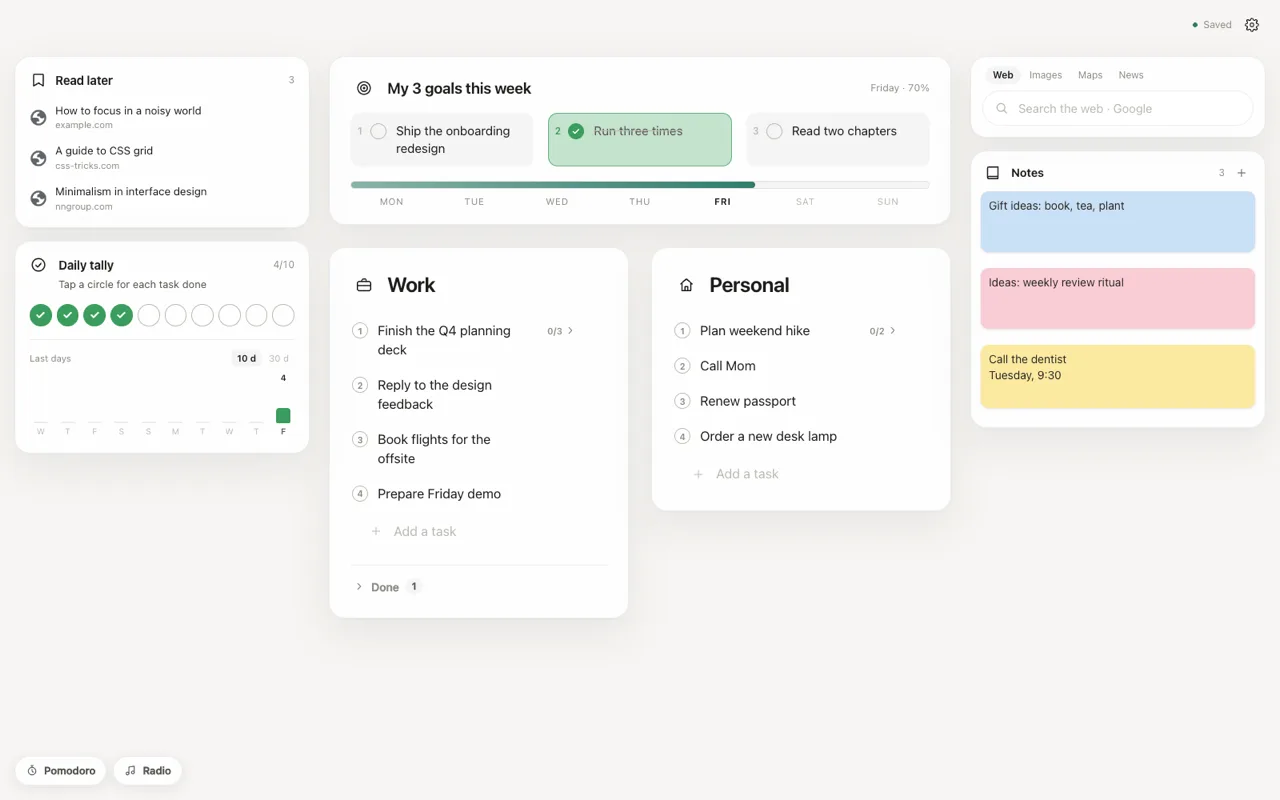
A long list is a source of stress. Use one list for the work you must do and, if you want, a second one for personal tasks. Tabovela offers two lists you can rename, so you can call them “Today” and “Later”, or “Work” and “Home”.
Use subtasks to make starting easier
“Prepare the quarterly report” is hard to start. “Gather last quarter’s numbers” is not. Break a big task into subtasks and the first step becomes obvious. Tabovela supports subtasks and even sub-subtasks, shown as a simple accordion so a long task does not clutter the page.
Reorder with drag and drop
Priorities change during the day. Drag a task to move it up, and highlight an important one in bold. If you delete something by mistake, one click undoes it.
Check things off, then let them go
Completed tasks move to a “Done” area so your list stays clean, and you can still review what you finished.
Stay private
Your list is stored in Chrome on your computer, with no account. You can add an automatic backup to a folder in Google Drive or iCloud Drive, so reinstalling your browser never costs you your tasks.
A simple daily routine
- Open a new tab and write your top three tasks.
- Add subtasks to the one that feels heavy.
- Start with the smallest subtask.
- At the end of the day, clear what is done and move the rest.
For goals that last longer than a day, see how to use three weekly goals.
Tabovela: a little space to get things done.
Add to Chrome — it’s freeKeep reading

Best Pomodoro timer Chrome extensions: 6 options compared
Marinara, Focus To-Do, Tomato Clock, Pomofocus, Focus Tomato and Tabovela compared: simple timers, timers with tasks, and a free timer in your new tab.

How to set up a minimalist new tab page in Chrome (in 2 minutes)
Chrome’s default new tab page is noisy. Here is how to replace it with a calm, minimalist one that shows only your next task — and how to keep it that way.