 Tabovela

Searching for a “Chrome extension Pomodoro timer” gives dozens of results. Most do the same thing — count down 25 minutes — so the differences are in the details. Here is what to check before you install one.
1. Does it keep running when you close the tab?
This is the big one. Many timers live inside a page: close the tab and the countdown dies. A good Chrome Pomodoro timer keeps running in the background and still rings at the end. Tabovela’s timer is driven by a browser alarm, so you can close the tab and the chime still plays, as long as Chrome is open.
2. Can you change the durations?
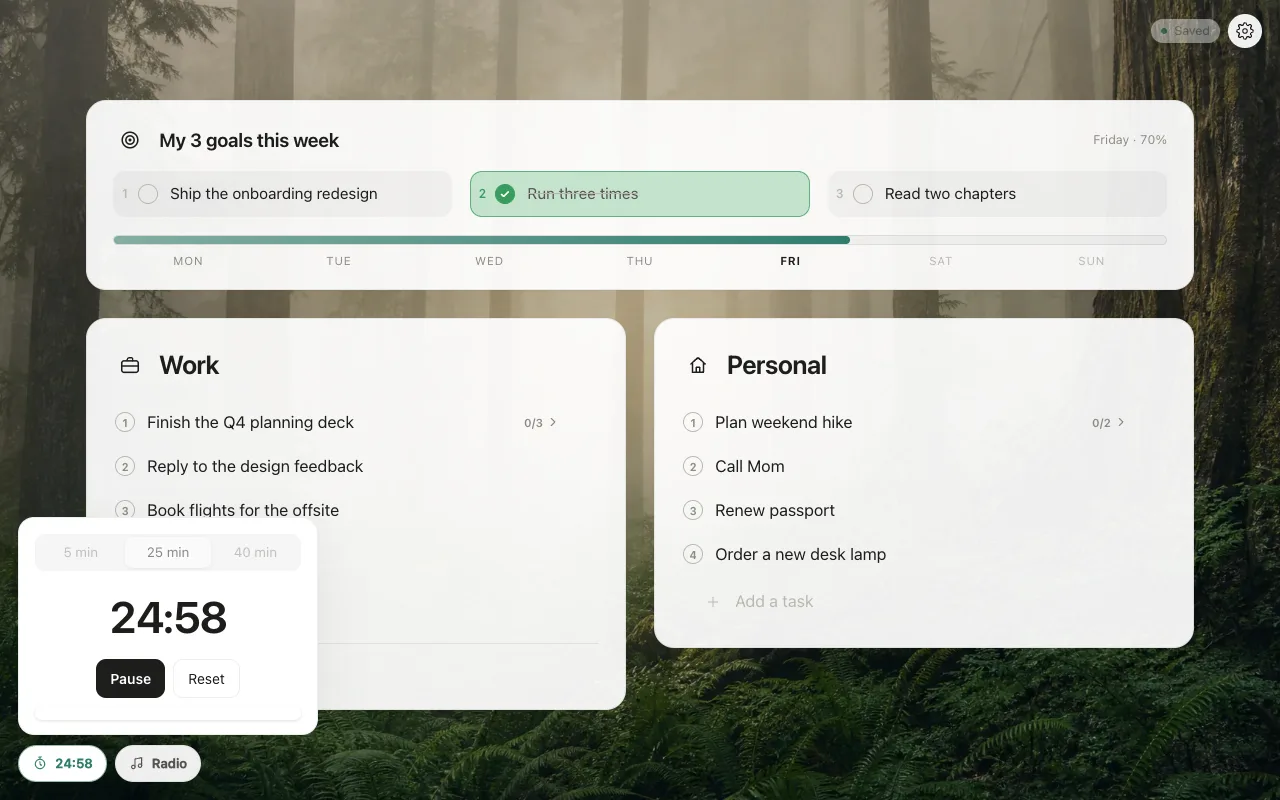
25 minutes works for many people, but not everyone. Look for editable durations. Tabovela offers three, set to 5, 25 and 40 minutes by default, and you can change each one in Settings.
3. Is the end signal pleasant?
A harsh beep is a bad way to end a focused stretch. A soft chime is kinder, and you should be able to turn it off. Tabovela’s melody can be disabled in Settings, and any background sounds lower while it plays.
4. What permissions does it ask for?
A timer needs very little. Be wary of extensions that ask to read your browsing data. Tabovela asks for no access to the sites you visit.
5. Is it free, really?
Some timers lock durations, statistics or sounds behind a subscription. Tabovela’s Pomodoro is free, with no account and no trial.
Why a new tab timer works well
A timer in your new tab is one click away every time you open a tab, next to your to-do list. Write the task, press Start, and work. When the chime rings, take a real break.
New to the technique? Read a simple Pomodoro routine in your new tab.
Tabovela: a little space to get things done.
Add to Chrome — it’s freeKeep reading

Best Pomodoro timer Chrome extensions: 6 options compared
Marinara, Focus To-Do, Tomato Clock, Pomofocus, Focus Tomato and Tabovela compared: simple timers, timers with tasks, and a free timer in your new tab.

How to set up a minimalist new tab page in Chrome (in 2 minutes)
Chrome’s default new tab page is noisy. Here is how to replace it with a calm, minimalist one that shows only your next task — and how to keep it that way.