 Tabovela

The Pomodoro technique is simple: work for 25 minutes, rest for 5, repeat. It works because the timer turns a vague “I should focus” into a small, finishable promise. Here is how to use it without turning it into another source of stress.
The basic loop
- Pick one task.
- Start a 25-minute timer and work on that task only.
- When the chime sounds, take a real 5-minute break — stand up, drink water, look out of the window.
- After four rounds, take a longer break of 15–30 minutes.
Adapt it to your day
25 minutes is a starting point, not a law. Some people prefer 40 minutes for deep work, or 15 when they are low on energy. Choose durations you will actually respect. Tabovela’s Pomodoro lets you set three durations (5, 25 and 40 minutes by default) and switch between them in one click.
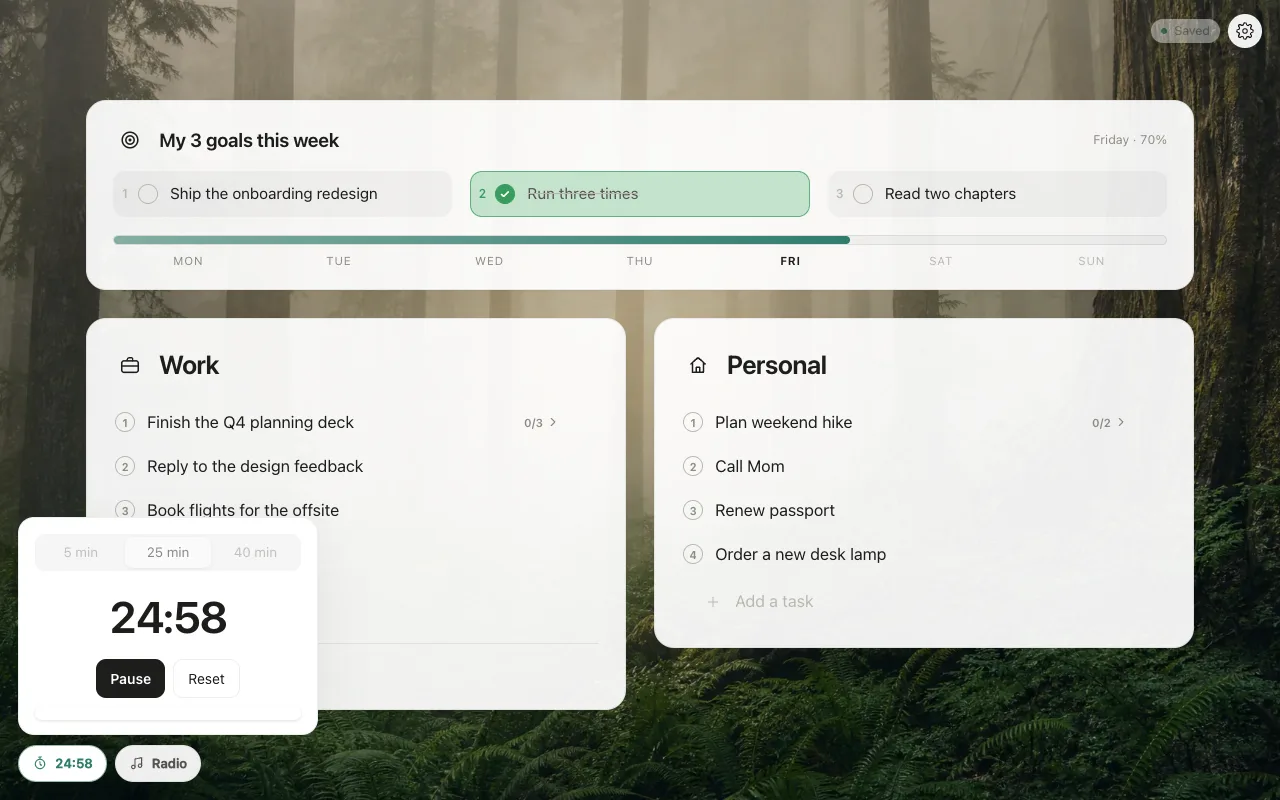
Why the new tab is a good place for a timer
You open a new tab many times a day, so a timer there is always one click away. And because the timer runs in the background, you can close the tab — the chime still plays at the end, as long as Chrome stays open. No separate app, no notification permission to grant.
Pair it with sound
Many people focus better with steady background sound. Tabovela includes soft rain, thunder and sea sounds generated in your browser, plus an ad-free radio. The sounds lower their volume while the end-of-timer chime plays, then come back.
Three habits that make it stick
- Write the task first. Put it in your list, then start the timer. A named task is easier to finish.
- Protect the break. A skipped break is the fastest way to hate the technique.
- Count rounds, not hours. A daily tally (“4 rounds today”) is more motivating than a clock. Tabovela’s tally circles are made for this.
When Pomodoro is not the right tool
If you are in a state of flow, don’t interrupt it just because a timer rings: finish your thought, then take the break. And for tasks that need long meetings or calls, a timer adds little. Use the method when you are procrastinating or scattered, and let it go when you are already absorbed.
The goal is not perfect rounds. It is to make starting easy.
Tabovela: a little space to get things done.
Add to Chrome — it’s freeKeep reading

Best Pomodoro timer Chrome extensions: 6 options compared
Marinara, Focus To-Do, Tomato Clock, Pomofocus, Focus Tomato and Tabovela compared: simple timers, timers with tasks, and a free timer in your new tab.

How to set up a minimalist new tab page in Chrome (in 2 minutes)
Chrome’s default new tab page is noisy. Here is how to replace it with a calm, minimalist one that shows only your next task — and how to keep it that way.